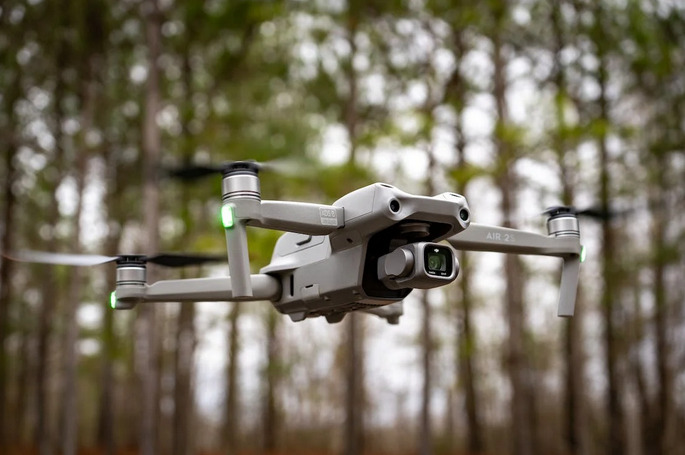
Imagine soaring high above the stunning landscapes, capturing breathtaking moments that transport your audience into a world of wonder and emotion. Whether you’re a filmmaker who aims to earn 5k a month, a photographer, or a content creator, drones offer an unparalleled perspective that can elevate your storytelling to new heights. That’s why today, you’re going to see the best shots in drone cinematography to learn.
Half Moon Bay Shot
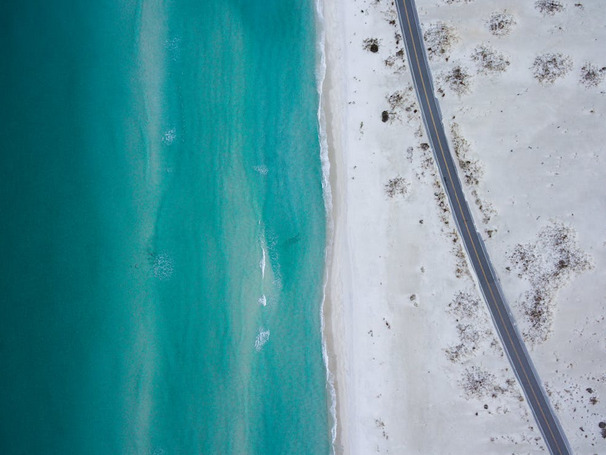
Picture this: a sweeping coastline, waves crashing against the rocks, and a golden sunset painting the sky in hues of orange and pink. The Half Moon Bay Shot is an aerial masterpiece that effortlessly captures the beauty and drama of nature’s canvas. With your drone gliding gracefully above the water, you can create a mesmerizing shot that showcases both land and sea in perfect harmony.
The key to mastering this shot lies in finding a balance between movement and stillness. Experiment with different speeds and trajectories as you glide through space, allowing each moment to unfold naturally before your lens. Let your audience feel immersed in the tranquil serenity or thrilling energy that permeates Half Moon Bay.
180-Degree shot
The 180-degree shot is a powerful technique in drone cinematography that can add depth and dimension to your storytelling. This shot involves flying the drone along an imaginary line, capturing the subject from different angles and perspectives. Using this technique means creating a sense of movement and change in your footage. It allows you to show both the front and back of your subject, providing viewers with a more comprehensive view of the scene.
This shot is particularly effective when filming action sequences or revealing important plot points. For example, imagine capturing a car chase from one side of the road to the other. This type of shot would allow you to capture all angles of the chase, creating an immersive experience for viewers.
Tracking Shot
 This technique involves smoothly following a subject as it moves through a scene, creating a sense of movement and momentum. With a drone’s ability to seamlessly glide through the air, capturing stunning tracking shots has become easier than ever before. Incorporating a tracking shot into your storytelling can add depth and excitement to your footage.
Imagine following a surfer as they ride a wave or tracking alongside an athlete as they run down a mountain trail – these types of shots allow viewers to feel like they are right there in the action. To achieve an effective tracking shot, plan out your flight path carefully. Consider the speed and direction of your subject, ensuring that you maintain an appropriate distance while keeping them centered within the frame. Smoothly adjust altitude and angle as needed to create seamless transitions between different perspectives.
Obstacle Shot to Reveal Subject
Imagine a sweeping landscape shot where you start with an obstructed view, perhaps behind a tree or through a narrow opening. As the drone moves forward and ascends, it gradually reveals the breathtaking scenery beyond. This technique creates anticipation and intrigue as viewers eagerly wait to see what lies ahead. The obstacle shot can also be used indoors or in more confined spaces. For example, you could fly your drone through an archway or window frame, gradually revealing a room full of people engaged in conversation or an intricately decorated interior.
Drone cinematography has revolutionized storytelling, offering filmmakers a unique perspective and evoking breathtaking shots that were once impossible. By incorporating different types of drone shots, you can elevate your storytelling and create visually stunning moments that captivate your audience.…

 Aspera is a good choice for companies looking to increase download speeds. Since Aspera has been designed to be faster than other file transfer services, it can help you save time and money while transferring files over the internet. It is much faster than FTP and is often faster than even the built-in file transfer features of popular applications like Microsoft Office. It is secure with 128-bit encryption, which will help you avoid security breaches that are inconvenient or even costly. They are known to have a 99.999% uptime, so you can be sure that your transfers will always be available when you need them. Aspera is also a good choice for companies with large files to transfer.
 You must have a paid account before uploading any files. This can be inconvenient if you want to upload one file for free, but most companies will need the benefits of a paid account. Aspera is not compatible with all operating systems. It only works on Windows and Mac OS at this time, so it may not work well with your Linux or Unix servers.